Mobile PDF toolkit for scanning, reading, and converting documents
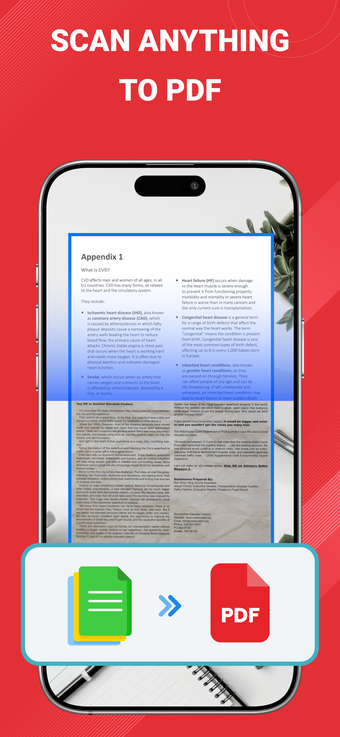
PDF Reader Pro: Scan & Convert, by thuy nguyen thi thu, is an iPhone utility that digitizes and organizes paper documents. The app functions as a PDF viewer, camera-based document scanner, and file converter to produce readable digital files on mobile devices. It highlights HWP file viewing support alongside rapid navigation controls. Students, business users, and mobile professionals who need on-device document handling will find practical tools for capture and review.
How the app handles capture and page preparation
The app uses the device camera to acquire documents, applying automatic perspective correction and smart cropping to straighten pages before export. Batch capture is available for multi-page documents, and thumbnail navigation helps reorder pages after a scan. These mechanics reduce manual trimming, and built-in page tools produce multi-page PDFs directly from the camera or photo library, simplifying a paper-to-file workflow on the device.
How it performs with large and complex PDF files
Performance is a priority: the app opens large files instantly and provides smooth scrolling and gesture navigation for fast review. That optimized handling of complex PDFs reduces perceived lag when flipping through dozens of pages. Compatibility requires iOS 13.0 or later, which sets a baseline for device capabilities and helps the app maintain responsive rendering on modern hardware.
How it treats searchable text and file management
Optical character recognition converts scanned images into searchable PDFs so text search and bookmarks work inside documents. The app exposes text search and bookmark functions to locate information inside long files, supporting thumbnail navigation and night mode for varied reading conditions. These elements create a document archive you can query directly on the device without exporting images to separate text tools.
How much technical skill the tool requires
The interface uses gesture controls and straightforward navigation, so basic scanning and reading work for nontechnical users. Advanced workflows such as batch capture and multi-page editing ask for more attention when reordering or exporting files. The app suits users who want quick single-page scans as well as those prepared to manage multi-page documents and metadata on a handheld device.
Practical choice for mobile document management, with a clear trade-off
The app is a practical option for students and professionals who need portable document capture and on-device search, supported by instant large-file opening and developer focus on mobile workflows. Expect a brief learning curve for multi-page editing and an upgraded tier required for advanced editing and cloud features. Tip: perform multi-page scans in a well-lit area to maximise automatic correction accuracy. Recommended.